Table of Contents
- What Is Invoicing Software?
- Why Small Businesses Need Invoicing Software
- Best Invoicing Software for Small Business
- QuickBooks Online
- FreshBooks
- Zoho Invoice
- Xero
- Stripe Invoicing
- Wave
- Square Invoices
- Invoicing Software Comparison
- Important Features to Look For
- Recurring Invoices
- Online Payments
- Invoicing for Different Businesses
- How Much Does Invoicing Software Cost?
- Invoicing Software vs Excel
- Common Invoicing Mistakes
- Frequently Asked Questions
- Final Verdict
What Is Invoicing Software?
Invoicing software is a digital tool that helps businesses create, send, track and manage customer invoices.
A basic invoice normally contains:
- Business name
- Customer information
- Invoice number
- Product or service description
- Quantity
- Price
- Taxes
- Discounts
- Payment terms
- Due date
- Total amount
Modern invoicing platforms can do much more.
They can also provide:
- Recurring invoices
- Online payments
- Automatic reminders
- Quotes
- Estimates
- Customer portals
- Expense tracking
- Time tracking
- Payment reconciliation
- Accounting integration
- Multi-currency billing
- Sales reports
The goal is to make the process:
Create → Send → Track → Remind → Get Paid → Reconcile
as automated as possible.
Why Small Businesses Need Invoicing Software
A business may initially create invoices using Microsoft Word or Excel.
That can work for a few customers.
But imagine sending 200 invoices every month.
You need to track:
- Which invoices were sent?
- Which invoices were opened?
- Which invoices are overdue?
- Which customers have paid?
- How much money is outstanding?
- Which invoices need reminders?
- Which payments need to be matched with bank transactions?
Doing this manually can become a major administrative burden.
Invoicing software can centralize the entire process.
Main Benefits
Save Time
Create professional invoices quickly instead of building them manually.
Get Paid Faster
Online payment options can reduce friction for customers.
Automate Reminders
Automatically remind customers when invoices are approaching or past their due dates.
Reduce Errors
Templates and automatic calculations can reduce manual mistakes.
Improve Cash Flow
Real-time accounts-receivable information helps businesses understand outstanding payments.
Look More Professional
Branded invoices can improve the customer experience.
Simplify Accounting
Payments and invoice data can flow into accounting software.
QuickBooks highlights online payments, recurring invoices, payment tracking, professional templates and accounting integration as important invoicing capabilities for small businesses.
Best Invoicing Software for Small Business
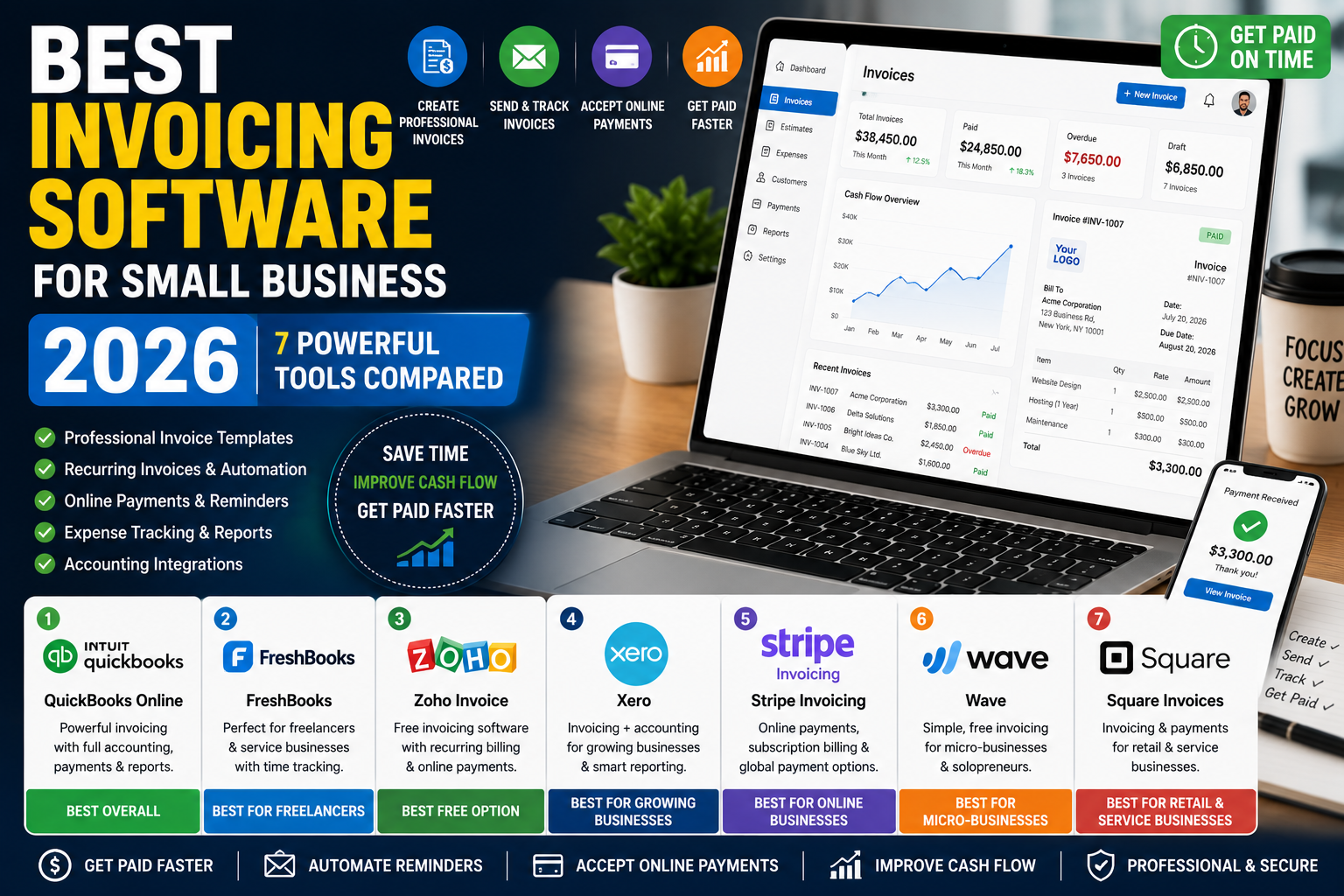
For 2026, these seven platforms are worth comparing:
| Software | Best For | Main Strength |
|---|---|---|
| QuickBooks Online | Growing businesses | Invoicing + accounting |
| FreshBooks | Freelancers | Client billing + time tracking |
| Zoho Invoice | Budget-conscious businesses | Free invoicing |
| Xero | Growing companies | Accounting + invoicing |
| Stripe Invoicing | Online businesses | Payments + global billing |
| Wave | Micro-businesses | Simple low-cost invoicing |
| Square Invoices | Retail & service businesses | Payments + invoicing |
A current 2026 comparison from FreshBooks also highlights FreshBooks, Zoho Invoice, QuickBooks, Wave, Invoice Ninja and other platforms as notable invoicing choices for small businesses.
1. QuickBooks Online — Best Overall


6
QuickBooks Online combines invoicing with a broader accounting platform.
This makes it particularly useful for businesses that want invoices, expenses, payments and financial reporting in one ecosystem.
Key Features
- Professional invoices
- Online payments
- Recurring invoices
- Automatic payment reminders
- Estimates
- Progress invoicing
- Payment tracking
- Expense tracking
- Accounting
- Financial reports
- Mobile applications
- Customer management
QuickBooks specifically highlights online payments, recurring invoices, payment tracking, professional templates, mobile invoicing and accounting integration.
Best For
- Small businesses
- Agencies
- E-commerce companies
- Consultants
- Professional services
- Growing companies
Advantages
- Invoicing + accounting
- Strong reporting
- Payment tracking
- Recurring billing
- Large integration ecosystem
Disadvantages
- Can be more expensive than standalone invoicing tools
- Some features require higher plans
Verdict: One of the strongest all-around choices for businesses that want invoicing connected to full accounting.
2. FreshBooks — Best for Freelancers


4
FreshBooks focuses heavily on freelancers, consultants and service-based businesses.
It combines invoicing with time tracking, expenses and project management.
FreshBooks currently offers a 30-day free trial, and its 2026 comparison materials position it as an all-in-one invoicing and accounting option with customizable invoices, time tracking, online payments and automation.
Key Features
- Custom invoices
- Online payments
- Recurring invoices
- Payment reminders
- Estimates
- Time tracking
- Expense tracking
- Project management
- Client management
- Financial reports
- Mobile applications
Best For
- Freelancers
- Consultants
- Designers
- Developers
- Agencies
- Professional services
Advantages
- Easy invoicing
- Time tracking
- Client management
- Project billing
- Recurring invoices
Disadvantages
- Less suitable for complex inventory
- Costs can increase with additional features
Verdict: Excellent for service businesses that bill customers based on time or projects.
3. Zoho Invoice — Best Free Option


6
Zoho Invoice is designed specifically for invoicing and billing.
Zoho offers a free invoicing product, although exact limits and features can vary by country.
For example, Zoho’s India edition currently states that Zoho Invoice is free and supports professional invoices, quotes, recurring invoices, payment reminders, customer portals, expense tracking and online payments.
Key Features
- Professional invoices
- Recurring invoices
- Payment reminders
- Quotes
- Customer portal
- Online payments
- Expense tracking
- Time tracking
- Mileage
- Reports
- Multi-language invoices
- Automation
Zoho also states that its invoice product supports multiple payment gateways and more than 10 languages in its current feature documentation.
Best For
- Freelancers
- Startups
- Small businesses
- Agencies
- Consultants
- Micro-businesses
Advantages
- Free option
- Recurring invoices
- Automated reminders
- Customer portal
- Expense tracking
- Time tracking
Disadvantages
- Usage limits can apply
- Businesses needing full accounting may eventually need Zoho Books
Verdict: One of the strongest choices for businesses that primarily need invoicing without paying for a full accounting platform.
4. Xero — Best for Growing Companies


5
Xero combines invoicing with accounting and financial management.
This makes it useful for businesses that expect their billing needs to grow alongside their accounting requirements.
Key Features
- Online invoices
- Recurring invoices
- Payment reminders
- Quotes
- Online payments
- Expense management
- Bank reconciliation
- Financial reports
- Multi-currency
- Accounting integrations
- Mobile applications
Best For
- Growing businesses
- Agencies
- E-commerce companies
- International businesses
- Professional services
Advantages
- Invoicing + accounting
- Strong financial reporting
- Bank reconciliation
- Integrations
- Multi-currency capabilities
Disadvantages
- Full accounting functionality may be unnecessary for businesses that only need simple invoicing
- Pricing varies by market
Verdict: A strong option when invoicing needs to be part of a broader accounting system.
5. Stripe Invoicing — Best for Online Businesses


6
Stripe Invoicing is designed for businesses that want invoicing closely connected with online payments.
Stripe says businesses can create and send invoices without code, automate accounts receivable, accept online payments and reconcile transactions.
Stripe also supports invoicing in 25+ languages, 135+ currencies and 100+ global payment methods, making it particularly interesting for international digital businesses.
Key Features
- Hosted invoices
- Online payments
- Payment links
- Automatic reminders
- Recurring billing
- Customer portal
- Credit notes
- Tax features
- Multi-currency
- Global payment methods
- API integration
- Automated reconciliation
Stripe currently lists Invoicing Starter at 0.4% per paid invoice, with Plus at 0.5% per paid invoice; payment-processing and recurring-billing fees can apply separately.
Best For
- SaaS companies
- Online businesses
- Digital agencies
- International businesses
- Subscription businesses
- Technology companies
Advantages
- Global payments
- Strong API
- Online payment collection
- Multi-currency
- Recurring billing
- Customer portal
Disadvantages
- Usage-based fees
- Can be more technical than simple invoicing software
- Best value comes when Stripe is already part of the payment stack
Verdict: One of the best options for online and international businesses that want invoices tightly connected to payment processing.
6. Wave — Best for Micro-Businesses


6
Wave is aimed at freelancers, entrepreneurs and very small businesses.
Its simple approach makes it attractive to businesses that don’t need advanced accounting or ERP functionality.
Key Features
- Invoice creation
- Recurring invoices
- Payment tracking
- Customer management
- Expense tracking
- Accounting
- Receipt management
- Online payments
Wave’s availability and specific features vary by country.
Best For
- Freelancers
- Solopreneurs
- Very small businesses
- Early-stage businesses
Advantages
- Simple interface
- Low-cost entry
- Invoicing + accounting
- Suitable for small operations
Disadvantages
- Country availability varies
- Advanced workflows may require another platform
Verdict: A practical option for very small businesses that want straightforward invoicing and basic financial management.
7. Square Invoices — Best for Retail & Services


6
Square Invoices is particularly useful for businesses already using Square for payments or point-of-sale operations.
It can connect invoicing with payment collection and other Square business tools.
Key Features
- Professional invoices
- Recurring invoices
- Payment reminders
- Online payments
- Estimates
- Contracts
- Invoice tracking
- Customer management
- Payment links
- Square ecosystem integration
Best For
- Retail businesses
- Restaurants
- Local services
- Contractors
- Beauty businesses
- Businesses already using Square
Advantages
- Invoicing + payments
- Easy customer payments
- Recurring billing
- Strong ecosystem
- Useful for physical businesses
Disadvantages
- Best value may depend on using Square’s ecosystem
- Payment fees apply
- Availability varies by country
Verdict: A strong choice for businesses that already use Square for payments or point-of-sale.
Invoicing Software Comparison
| Feature | QuickBooks | FreshBooks | Zoho Invoice | Xero | Stripe | Wave | Square |
|---|---|---|---|---|---|---|---|
| Professional Invoices | ⭐⭐⭐⭐⭐ | ⭐⭐⭐⭐⭐ | ⭐⭐⭐⭐⭐ | ⭐⭐⭐⭐⭐ | ⭐⭐⭐⭐⭐ | ⭐⭐⭐⭐ | ⭐⭐⭐⭐⭐ |
| Recurring Invoices | ✅ | ✅ | ✅ | ✅ | ✅ | ✅ | ✅ |
| Online Payments | ✅ | ✅ | ✅ | ✅ | ⭐⭐⭐⭐⭐ | ✅ | ⭐⭐⭐⭐⭐ |
| Payment Reminders | ✅ | ✅ | ✅ | ✅ | ✅ | ✅ | ✅ |
| Time Tracking | ⭐⭐⭐ | ⭐⭐⭐⭐⭐ | ⭐⭐⭐⭐⭐ | ⭐⭐⭐ | ⭐⭐ | ⭐⭐ | ⭐⭐ |
| Accounting | ⭐⭐⭐⭐⭐ | ⭐⭐⭐⭐ | ⭐⭐⭐ | ⭐⭐⭐⭐⭐ | ⭐⭐⭐ | ⭐⭐⭐⭐ | ⭐⭐⭐ |
| Multi-Currency | ✅ | ✅ | ✅ | ✅ | ⭐⭐⭐⭐⭐ | Limited | Varies |
| Customer Portal | ✅ | ✅ | ✅ | ✅ | ✅ | Limited | ✅ |
| API / Developer Tools | ⭐⭐⭐⭐ | ⭐⭐⭐ | ⭐⭐⭐ | ⭐⭐⭐⭐ | ⭐⭐⭐⭐⭐ | ⭐⭐ | ⭐⭐⭐⭐ |
| Best For | Overall | Services | Free | Growing SMB | Online | Micro-business | Retail |
Note: Features vary by plan, country and product edition. The table is an editorial comparison rather than an independent benchmark.
Important Features to Look For
When choosing the best invoicing software for small business, focus on how customers actually pay you.
1. Professional Invoice Templates
Your invoice represents your business.
Look for:
- Logo
- Business information
- Brand colors
- Payment terms
- Tax information
- Bank details
- Custom notes
A professional invoice can make your business look more credible.
2. Recurring Invoices
If customers pay you regularly, recurring invoices can save significant time.
For example:
Monthly Service → Automatic Invoice → Payment Reminder → Payment → Receipt
This is especially useful for:
- SaaS companies
- Agencies
- Consultants
- Maintenance businesses
- Subscription services
Zoho Invoice, for example, supports scheduled and recurring invoices and automated payment reminders.
3. Automatic Payment Reminders
Late payments can create cash-flow problems.
Automated reminders can notify customers:
7 Days Before Due Date
On Due Date
7 Days After Due Date
This reduces the need for manual follow-up.
4. Online Payments
The easier it is for customers to pay, the less friction there is between:
Invoice Sent → Invoice Paid
Modern platforms may support:
- Credit cards
- Debit cards
- Bank transfers
- ACH
- Digital wallets
- Local payment methods
Payment options depend on the provider and country.
Stripe, for example, supports multiple global payment methods and currencies through its invoicing and payments infrastructure.
5. Payment Tracking
Your invoicing system should show:
- Draft
- Sent
- Viewed
- Partially paid
- Paid
- Overdue
- Cancelled
This gives the business a clear view of accounts receivable.
6. Quotes and Estimates
Some businesses need to send a quote before creating an invoice.
A useful workflow is:
Quote → Customer Approval → Invoice → Payment
This is particularly valuable for:
- Contractors
- Agencies
- Consultants
- Freelancers
- Service businesses
Zoho Invoice supports quote approval and conversion of accepted quotes into invoices.
7. Customer Portal
A customer portal can allow clients to:
- View invoices
- Download invoices
- Pay bills
- Approve quotes
- View payment history
- Access project information
This can reduce email back-and-forth.
8. Accounting Integration
If you already use accounting software, choose an invoicing platform that integrates with it.
For example:
Invoice → Payment → Accounting Record
This reduces duplicate data entry.
9. Multi-Currency
International businesses need to handle different currencies.
For example:
USD + EUR + GBP + CAD + AUD + SGD
Stripe currently advertises invoicing support for 135+ currencies.
However, multi-currency accounting and tax treatment are separate considerations.
10. Tax Support
Depending on your country, invoices may need to include:
- VAT
- GST
- Sales tax
- Tax identification numbers
- Digital invoice requirements
- Local tax fields
Tax functionality varies significantly by country.
Never assume that a global invoicing platform automatically satisfies every local tax requirement.
Recurring Invoices
Recurring billing is one of the biggest time-saving features in invoicing software.
Suppose you have 50 customers paying $500 every month.
Without automation:
50 invoices × 12 months = 600 invoices
With recurring billing, the software can generate and send many of those invoices automatically.
This can be particularly useful for:
- SaaS
- Marketing agencies
- Web development
- Hosting
- Consulting
- Maintenance
- Membership businesses
For subscription businesses, dedicated billing platforms such as Stripe Billing can support recurring subscriptions, trials, discounts, prorations and customer self-service.
Online Payments
Getting paid is the ultimate purpose of an invoice.
A modern invoice can contain a Pay Now button or payment page.
For example:
Invoice Total: $1,500
Customer clicks:
Pay Invoice
Then chooses:
Card / Bank Transfer / Wallet / Local Payment Method
The payment can automatically update the invoice status.
This is much more efficient than sending bank details in a separate email.
Invoicing for Different Businesses
Freelancers
Freelancers should prioritize:
- Simple invoices
- Recurring invoices
- Payment reminders
- Time tracking
- Expense tracking
FreshBooks and Zoho Invoice can be strong choices.
Agencies
Agencies often need:
- Project billing
- Time tracking
- Recurring invoices
- Client expenses
- Multiple team members
FreshBooks, QuickBooks and Zoho Invoice are worth comparing.
SaaS Businesses
SaaS companies typically need:
- Recurring billing
- Subscription management
- Automated payments
- Failed-payment recovery
- Customer portals
- API integration
Stripe Billing can be particularly useful for this type of business.
E-Commerce Businesses
E-commerce businesses may prioritize:
- Payment integration
- Customer invoices
- Refunds
- Tax calculations
- Accounting integration
- Multiple currencies
QuickBooks, Xero and Stripe are worth considering depending on the business model.
Contractors
Contractors may need:
- Quotes
- Progress invoices
- Milestone billing
- Expenses
- Customer approvals
QuickBooks and FreshBooks can be useful for project-based businesses.
International Businesses
International companies should prioritize:
- Multi-currency
- Local payment methods
- International tax support
- Customer portals
- Global payment processing
- Accounting integration
Stripe is particularly focused on global payment infrastructure, while accounting-focused platforms may provide broader financial reporting.
How Much Does Invoicing Software Cost?
Invoicing software can range from free products to enterprise billing systems.
Common pricing models include:
Free
Some platforms provide free invoicing with usage limits.
Zoho Invoice currently advertises free invoicing in supported editions, including its India product.
Monthly Subscription
Many platforms charge a monthly fee for:
- Number of users
- Number of customers
- Advanced features
- Accounting
- Automation
Transaction-Based Pricing
Some payment-focused platforms charge based on successful paid invoices.
Stripe currently lists 0.4% per paid invoice for its Starter invoicing tier, with a higher tier at 0.5%; payment processing and recurring billing can carry separate charges.
Enterprise Pricing
Large businesses may receive custom pricing based on:
- Invoice volume
- Payment volume
- Users
- Countries
- Integrations
- API usage
Invoicing Software vs Excel
| Feature | Excel | Invoicing Software |
|---|---|---|
| Invoice Creation | Manual | ✅ |
| Invoice Templates | Manual | ✅ |
| Recurring Invoices | Manual | ✅ |
| Payment Reminders | Manual | ✅ |
| Payment Tracking | Manual | ✅ |
| Online Payments | Limited | ✅ |
| Customer Portal | ❌ | ✅ |
| Multi-Currency | Manual | ✅ |
| Accounting Integration | Limited | ✅ |
| Automation | Limited | ✅ |
Excel is still useful for analysis and custom calculations.
But dedicated invoicing software is generally better for managing a growing accounts-receivable process.
Common Invoicing Mistakes
Mistake 1: No Due Date
Every invoice should clearly state when payment is expected.
Mistake 2: Sending Invoices Too Late
Invoice customers as soon as your agreed billing milestone is reached.
Mistake 3: No Payment Instructions
Make it obvious how customers can pay.
Mistake 4: Forgetting Payment Reminders
Use automated reminders where appropriate.
Mistake 5: Using Inconsistent Invoice Numbers
Maintain a logical numbering system.
For example:
INV-2026-001
INV-2026-002
INV-2026-003
Mistake 6: Missing Tax Information
Make sure invoices contain required tax information for your jurisdiction.
Mistake 7: No Written Payment Terms
Clearly state:
- Due date
- Late-payment terms
- Accepted payment methods
- Currency
- Refund terms where relevant
Mistake 8: Not Following Up on Overdue Invoices
A business can be profitable on paper while experiencing cash-flow problems because customers haven’t paid.
Frequently Asked Questions
What is the best invoicing software for small business?
QuickBooks is a strong overall choice for businesses that want invoicing combined with accounting. FreshBooks is particularly useful for freelancers and service businesses, Zoho Invoice is attractive for businesses seeking free invoicing, and Stripe is especially powerful for online and international businesses.
What is the easiest invoicing software?
For simple invoicing, Zoho Invoice, FreshBooks and Wave can be good starting points. The easiest option depends on the complexity of your business.
Can invoicing software send automatic reminders?
Yes. Many modern invoicing platforms can automatically send reminders before or after an invoice becomes overdue.
Can customers pay directly from an invoice?
Yes. Many platforms allow customers to click a payment button and pay online.
Can invoicing software handle recurring invoices?
Yes. Recurring invoices are a standard feature of many modern invoicing platforms. Zoho Invoice, FreshBooks, QuickBooks, Xero and Stripe support recurring billing in different ways.
Is free invoicing software available?
Yes. Zoho Invoice currently offers free invoicing in supported markets, and other platforms may offer free plans or trials.
Can invoicing software replace accounting software?
Not always.
Basic invoicing software may only manage invoices and payments.
Accounting software additionally manages:
- Expenses
- Bank reconciliation
- Financial statements
- Accounts payable
- Tax reports
- General ledger
What is the best invoicing software for freelancers?
FreshBooks and Zoho Invoice are strong options for freelancers. FreshBooks is particularly useful when time tracking and project billing are important.
What is the best invoicing software for SaaS?
SaaS businesses often need subscription billing, payment recovery and API integrations. Stripe Billing is worth considering for these requirements.
Can invoicing software work internationally?
Yes, some platforms support multiple currencies and international payment methods. However, country-specific tax and compliance requirements must be checked separately.
Final Verdict
The best invoicing software for small business depends on what you need beyond simply creating an invoice.
Choose QuickBooks Online
If you want invoicing combined with full accounting.
Choose FreshBooks
If you’re a freelancer, consultant or service business that bills based on projects or time.
Choose Zoho Invoice
If you want powerful invoicing features with a free entry option.
Choose Xero
If invoicing needs to be part of a broader accounting system.
Choose Stripe Invoicing
If your business is online, international or subscription-based and payment processing is a major priority.
Choose Wave
If you’re a very small business looking for simple invoicing and basic financial tools.
Choose Square Invoices
If your business already uses Square for payments or point-of-sale operations.
Before choosing a platform, compare:
Price + Payment Fees + Recurring Billing + Reminders + Accounting Integration + Multi-Currency + Automation + Tax Support
The best invoicing software isn’t necessarily the platform with the most features.
It’s the platform that helps your business:
Create Invoices Faster → Reduce Payment Delays → Automate Follow-Ups → Track Receivables → Improve Cash Flow
For a growing business, that can turn invoicing from a repetitive administrative task into an automated part of the sales and finance process.